normally use our program to merge or fuse digital images that look like a different but more unusual, though no less spectacular, is make an image look like it's broken. With little steps we are going to do and the result we can apply many variations
postal
,
card, invitation
,
reminder, etc. Result
Photoshop Process Steps 1. Open the image in which we will "break" (ex. is what you have by clicking here
)


2. Create a new document the same size as the original image in RGB mode (which we call "paper" in our example). In this file, create a rectangular selection of top-down selection (which cover the area we will delete the image, for a better fit we can make the selection in the original and translate it into this file) and fill it with black as we see in this picture
3. Create a file with the same requirements as in step 2 (which we call "clouds" in our example). Now we apply the filter Interpret -> Difference Clouds twice and temporarily store this file in PSD format
4. We select the "Paper" and will apply, with no selection, the filter Distort -> Scroll to the values: = 20% horizontal scale, vertical scale = 10%, map = Stretch. In the next window that appears loaded the file "Clouds" we've saved the image above and we will be similar to the following:
5. Investing everything from Image -> Adjust -> Invert. Select the entire image (CTRL + A) and copy (CTRL + C) 6. Deselect everything (CTRL + D) and invest again content
7. We will create a three-dimensional moving and blurring the image. Apply the filter Other -> Offset with the values \u200b\u200b(used in our example): horizontal scale = -5, vertical = 7, with the option to "repeat pixels selected. Now apply the filter Blur -> Gaussian Blur with a value of 5 or 6 pixels.
8. Now we will paste the image we have in the clipboard (the step 5) is automatically placed comom a new layer (Layer I) 9. Melting change elmodo Layer I to "Pattern" (or "Split" depending on which version or program) and we have the torn paper as we see in the picture below:
10. Let aplñicar this effect to the image of the home. While moving the image or copying and pasting the bring the document "Role" action that will create the Layer 2 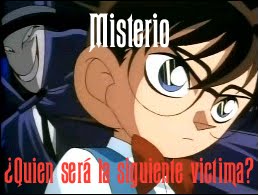
11. Convert this new layer in a clipping mask. From the Layer menu apply the "Group with previous layer" and since we apply Layer Styles "Blending Options" position "Core" (with ALT) by moving the black knob right up to the value 107 and with this we have managed to break a piece of paper digitally. Here we let another variant
http://villanos.net/escuela/tdp/tdp_11.html Villains
Source: http://www.todo-photoshop.com/tutorial-photoshop/efectos/efecto-papel-roto-photoshop.html

 also I leave the HJSplit


